

Getting Started
Add Five Day Bible Reading to your Home Screen.
Add Five Day Bible Reading to your phone so this week’s readings are one tap away. The schedule also remains available offline after your first visit. Bible.com links may still require a connection.
Why add it to your Home Screen?
You can use Five Day Bible Reading in your browser anytime, but adding it to your Home Screen gives you one-tap access and a familiar app icon.
Installation instructions
Tap Share, then Add to Home Screen
Follow the four taps below. Tap any image to enlarge.
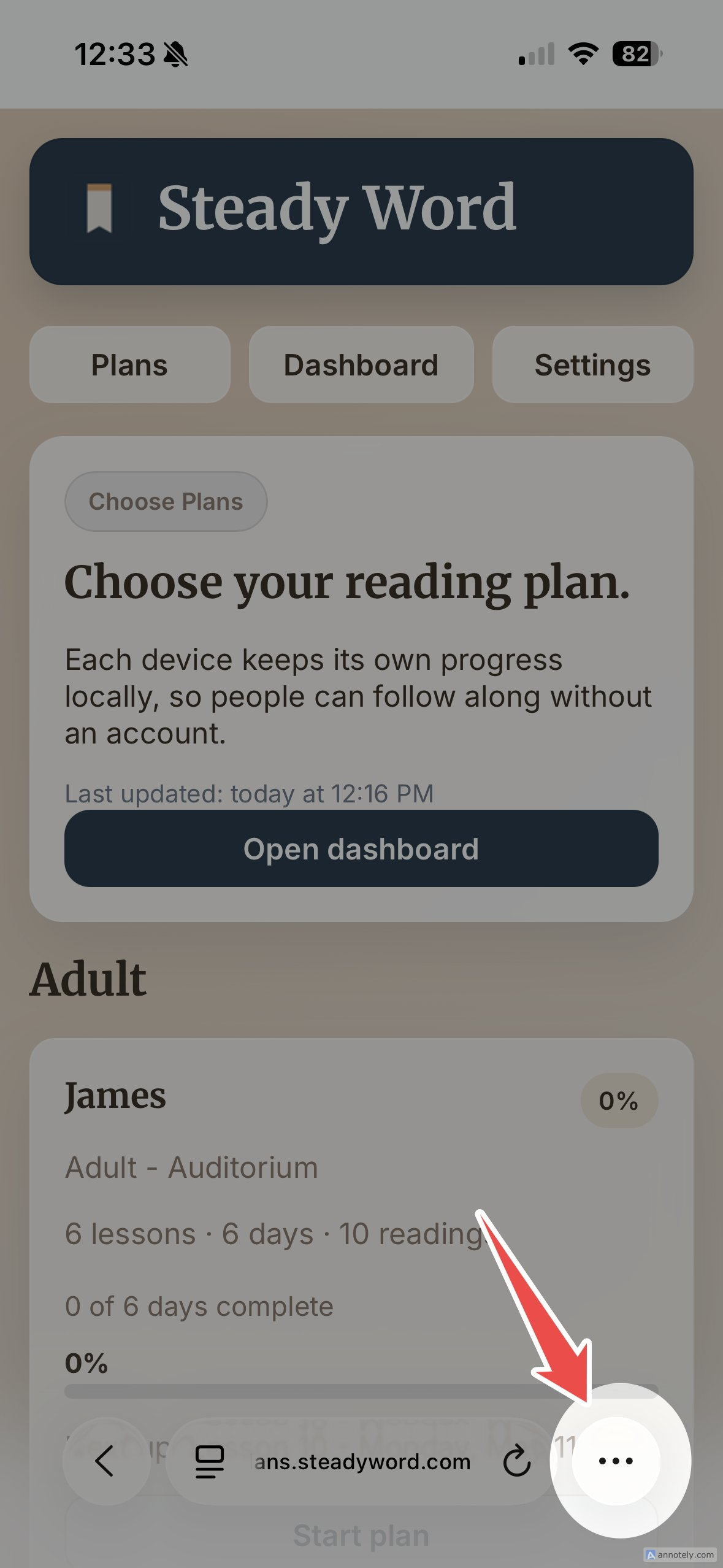
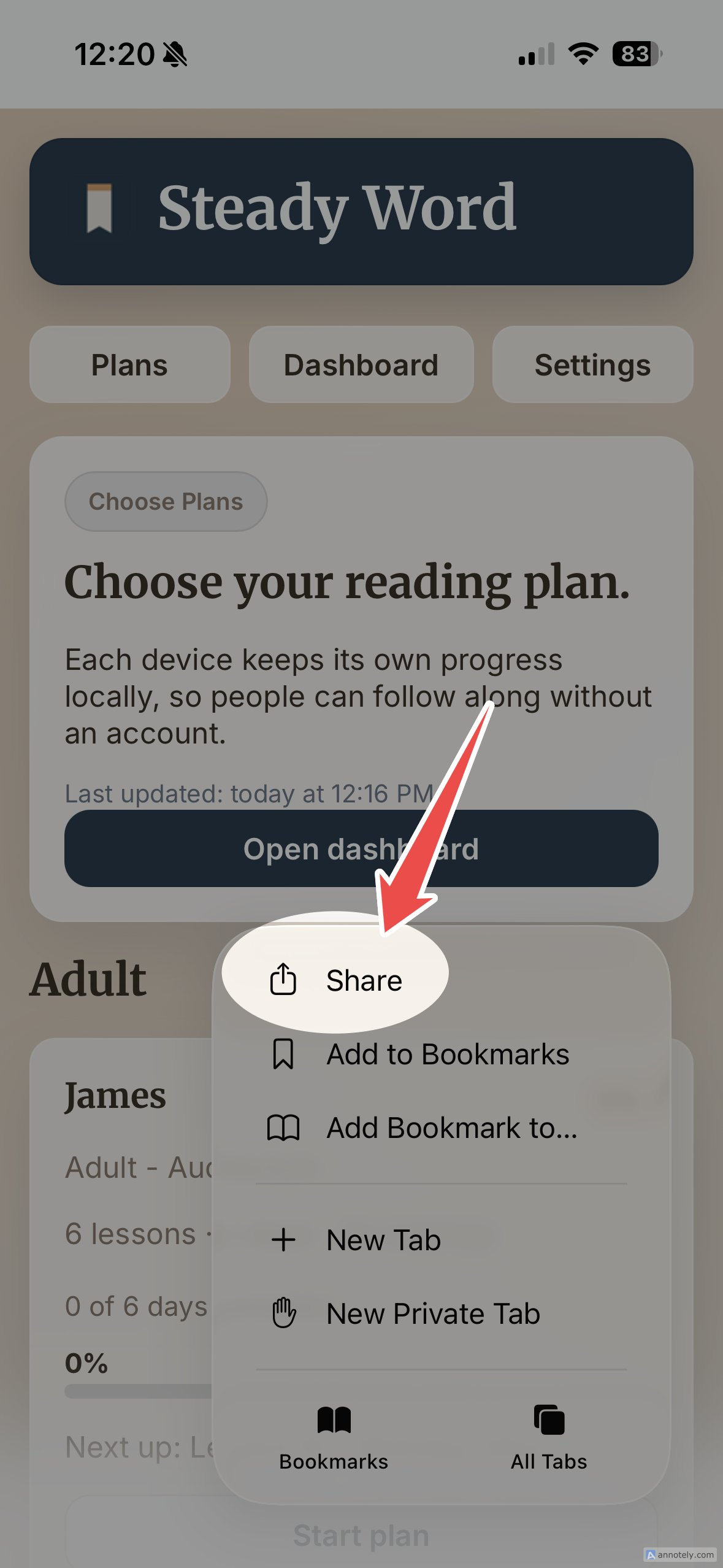
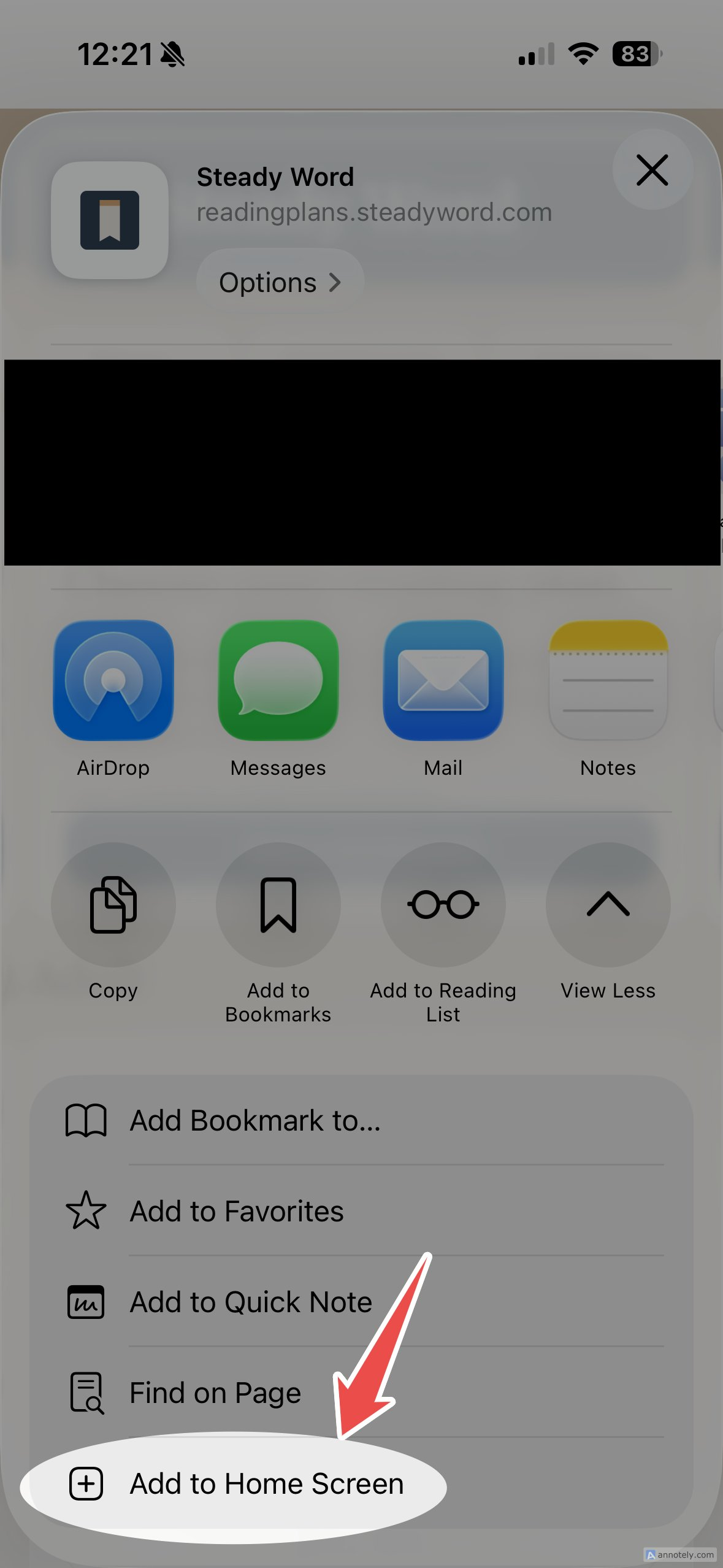
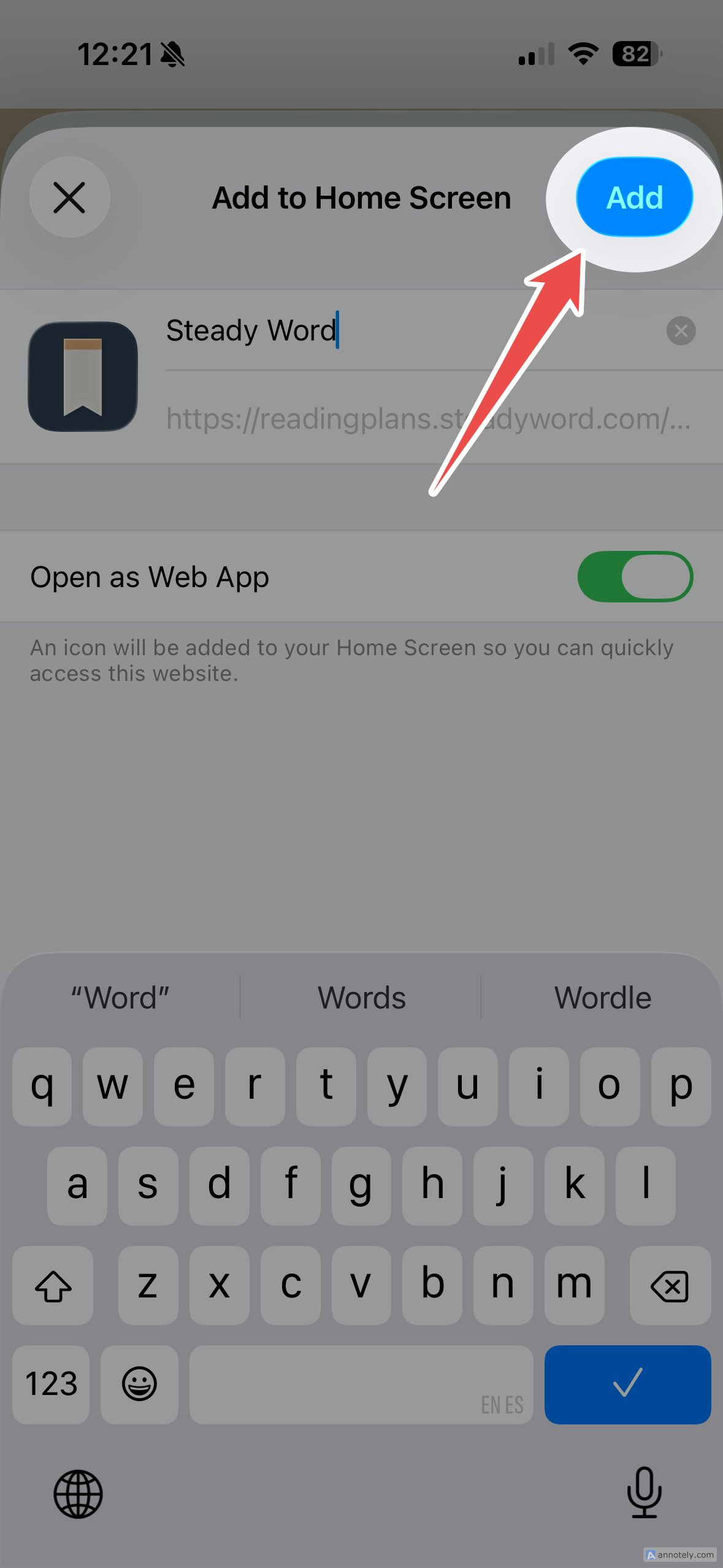
Browser menus may vary slightly by device and software version.
Open from your Home Screen
Find the Five Day Bible Reading icon and tap it to open the app.
Add it to your Home Screen
Follow the three taps below. Tap any image to enlarge.
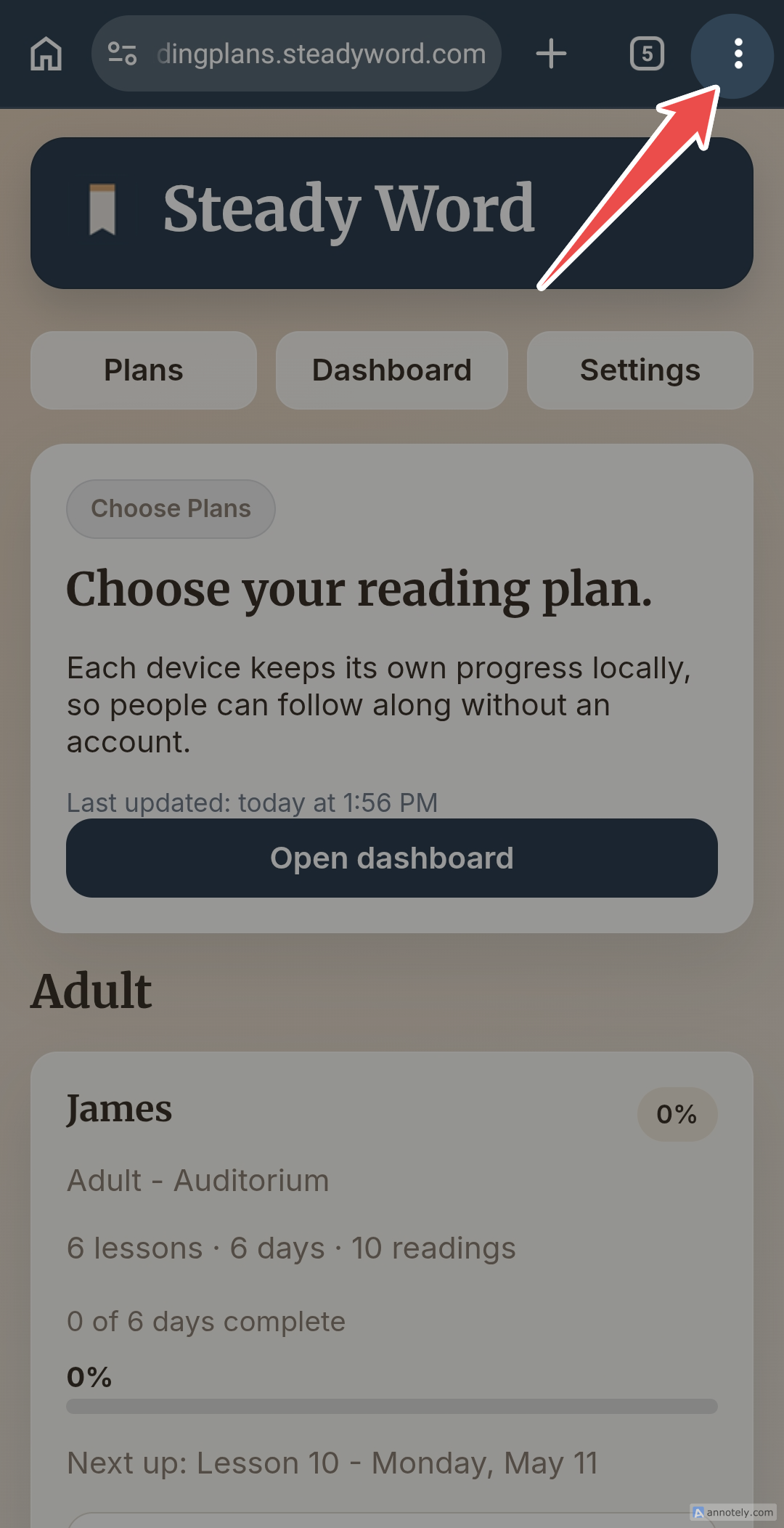
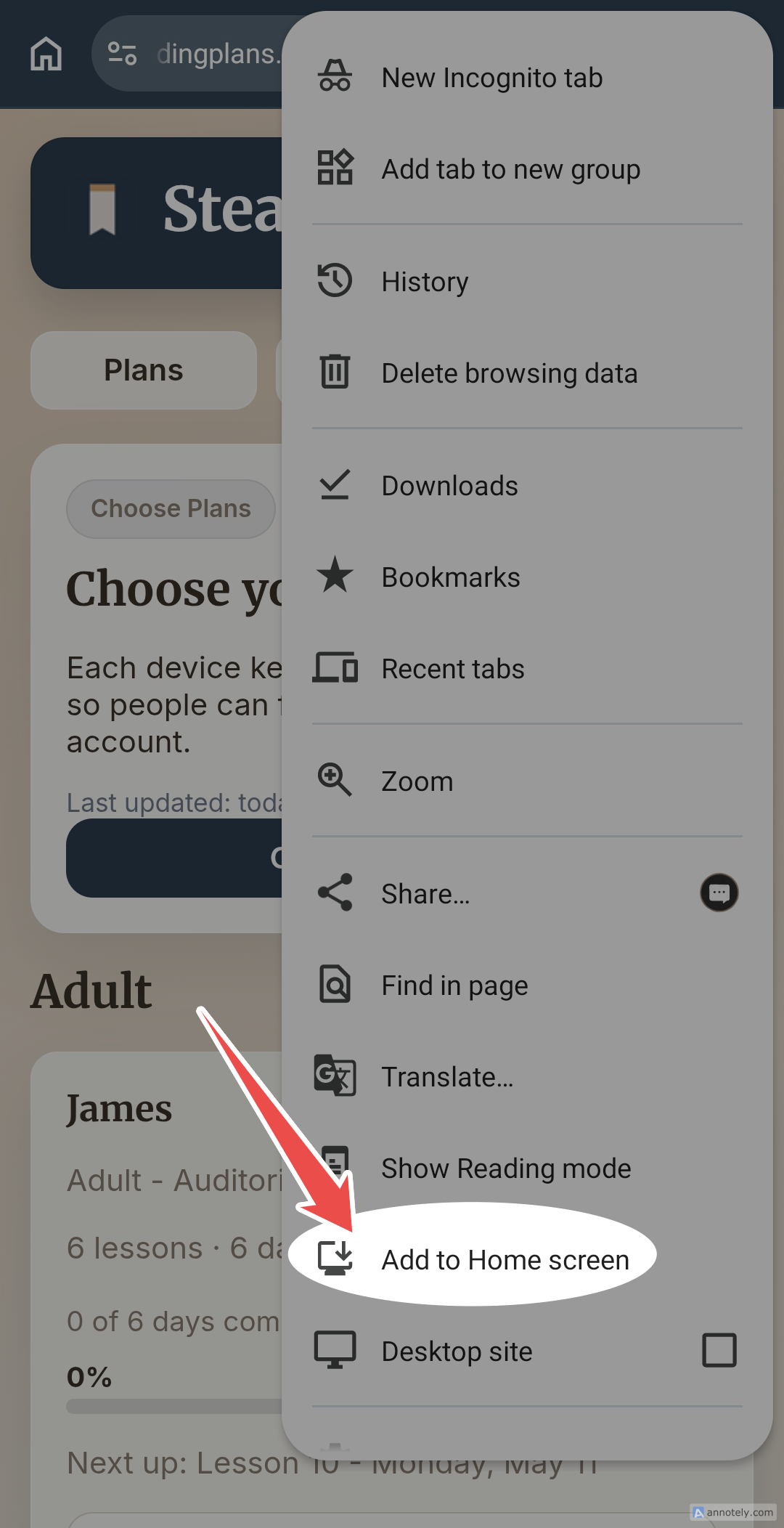
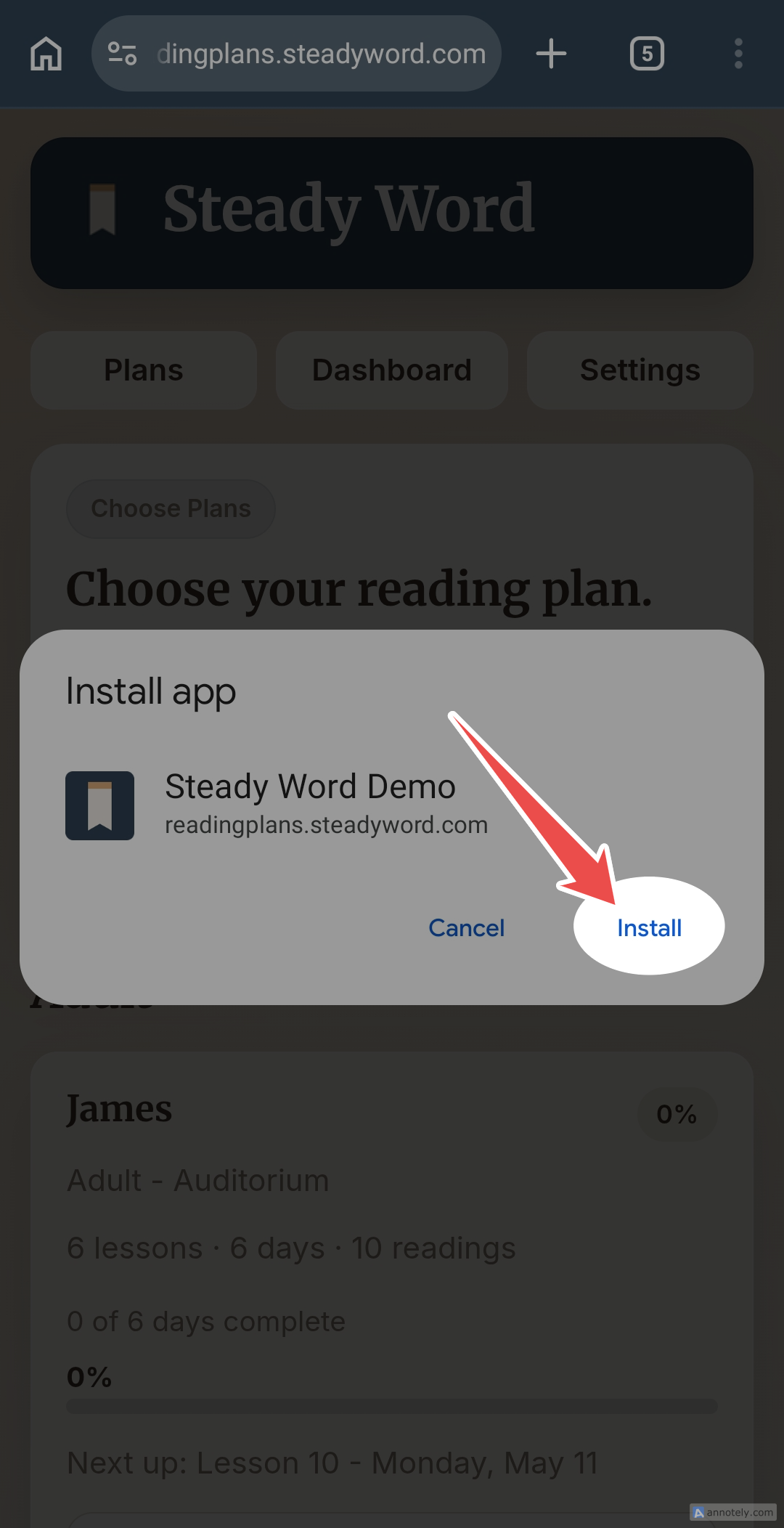
Browser menus may vary slightly by device and software version.
Open from your Home Screen
Tap the Five Day Bible Reading icon to open the app.
Common questions
I do not see Add to Home Screen
On iPhone, make sure the page is open in Safari. On Android, use the three-dot menu in Chrome if an automatic install prompt does not appear.
The link opened inside another app
Copy the Five Day Bible Reading link and paste it into Safari on iPhone or Chrome on Android.
Do I need an account?
No. Five Day Bible Reading does not require an account or login. Your progress is saved locally on your device.
Does my progress sync between devices?
No. Each device keeps its own checkmarks. Installing the app does not create an account or move progress to another device.
I still need help
Use the technical-support form. Please do not send software-support questions to the Five Day Bible Reading content team.